Pick a plan
Monthly or yearly, paid securely in USD through Gumroad. Cancel anytime.
Usina de Cortes finds the best moments in Twitch, YouTube and Kick streams, podcasts and long videos, then exports vertical 9:16 clips with locked facecam, smart framing and karaoke captions, ready for TikTok, Reels and Shorts. It runs locally, so a 6-hour stream costs the same as a 6-minute one.
From $12.42/month billed yearly • Founding offer: $99 for your first year • 7-day money-back guarantee
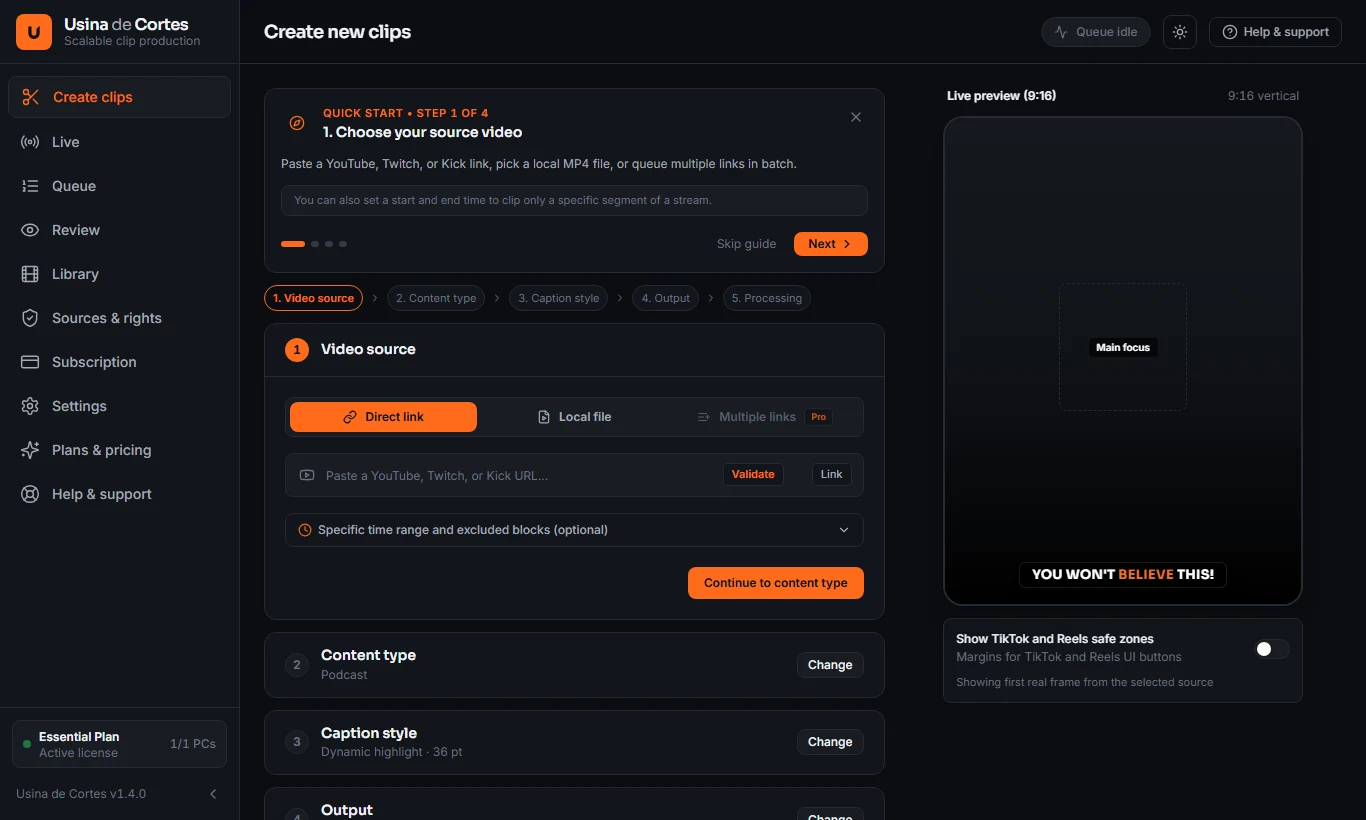
1080×1920 video with word-by-word captions, normalized audio and a post kit (title, description, hashtags, creator credit) generated on your computer.
Real screen recording of the English app: paste a link, queue, review, and play the finished 9:16 clip. Source: a Creative Commons (CC BY 4.0) Blender Conference keynote.
From checkout to your first exported clips in four steps.
Monthly or yearly, paid securely in USD through Gumroad. Cancel anytime.
Your license key arrives by email right after payment, with the official Windows installer link.
Choose English in the installer, paste your key, and the app checks that your PC meets the requirements.
Paste a stream or VOD link, approve the suggested clips, tweak captions, and export with the post kit.
Built for clippers and creators who post every day.
Scores speech pace, energy peaks, chat spikes and impact words to suggest the clips worth posting.
Point it at a live stream on Twitch, YouTube or Kick and it cuts highlights as they happen.
Facecam on top, game below, held in place for the whole clip, even in dark games. Podcast and react layouts too.
Word-by-word karaoke captions, emotion colors, optional emojis and profanity masking. Fix any word before rendering.
Audio language and caption language are independent of the app language. Clip English streams in English, or caption in Portuguese.
Approve or discard each clip, trim start and end, search the full transcript and edit captions.
Suggested title, description, hashtags and credit to the original creator, ready to copy with every clip.
Automatically uses NVIDIA NVENC, AMD AMF or Intel QSV when available, with a safe CPU fallback.
Cloud tools charge by the minute. Clippers process hours of footage every week.
| What you get | Usina Creator ($19/mo) | OpusClip Pro ($29/mo) | Vizard Creator ($29/mo) |
|---|---|---|---|
| Processing included | Unlimited | 300 min/month | 600 min/month |
| 20 hours of streams per month | Same flat price | Over the limit after 5 hours | Over the limit after 10 hours |
| Clip while the stream is live | Yes | No (upload or link a VOD) | No (upload or link a VOD) |
| Where your video goes | Stays on your PC | Uploaded to their cloud | Uploaded to their cloud |
| Works on Mac / in the browser | No, Windows 10/11 only | Yes | Yes |
Competitor prices and minute allowances are monthly-billing list prices as published in November 2026 and may change; check each vendor's site. OpusClip and Vizard are trademarks of their respective owners. Full comparisons: Usina vs. OpusClip · Usina vs. Vizard.
Unlimited processing on every plan (technical cap of 8 hours per input video). Prices in USD.
For solo clippers and creators processing one video at a time, with no clip limits.
$12.42/month billed yearly. With FOUNDER: $99 first year.
For pro clippers and channels at scale: batch queue and long-form clips.
$19.08/month billed yearly. With FOUNDER: $179 first year.
For clipping studios and agencies running several machines.
$49.92/month billed yearly. With FOUNDER: $549 first year.
Checkout is handled by Gumroad, which processes payment and applicable sales tax/VAT in your currency. Pick your plan tier on the checkout page.
Try Usina on your own streams. If it is not for you, or your PC turns out too slow, email suporte@agenciapulsodigital.com.br within 7 days of your first purchase and we refund you in full. Your license is deactivated. See the refund policy.
Cancel your subscription anytime from your Gumroad library; you keep access until the end of the paid period.
There is no Mac or browser version. On first launch the app checks your PC and estimates processing time.
None. Every plan includes unlimited processing because everything runs on your own computer. The only technical cap is 8 hours per input video.
No. Usina is a Windows 10/11 (64-bit) desktop app. If you only have a Mac, please do not buy it yet.
Yes. Pick English in the installer or later in Settings → General → App language. Audio and caption language are chosen per video, independently.
It runs on ordinary PCs; a stronger PC (especially with a GPU) is faster. The app warns you on first launch if your PC is below the minimum, and the 7-day guarantee covers you if it is too slow.
Public YouTube, Twitch and Kick VODs and live streams, plus local video files (MP4, MKV, MOV, WEBM).
The app processes the link you give it; you are responsible for having the right to use the content. Join official clipping campaigns or get the creator's permission, and always credit them. For unregistered channels the app asks you to confirm you have the rights.
Windows SmartScreen may show a "Windows protected your PC" notice for new publishers. Click "More info" → "Run anyway". The installer is the official file from downloads.agenciapulsodigital.com.br and you can verify its SHA-256 checksum on the support page.
Cancel anytime from your Gumroad library. For a refund within 7 days of your first purchase, email suporte@agenciapulsodigital.com.br from your purchase email. We reply within 24 hours (Mon to Sat, Brazil time).
Usina de Cortes ("clip factory" in Portuguese) is built by Agência Pulso Digital in Brazil, where it is used by Portuguese-speaking clippers. Version 1.4 adds a full English interface.
7-day money-back guarantee • Secure checkout by Gumroad • Support in English by email